
4K Video Capture Adapter | Good Way VUZ7140
Good Way VUZ7140 4K video capture adapter simplifies presentations by capturing content from multiple laptops without cable switching. USB-powered, HDMI input, up to 4K@60.

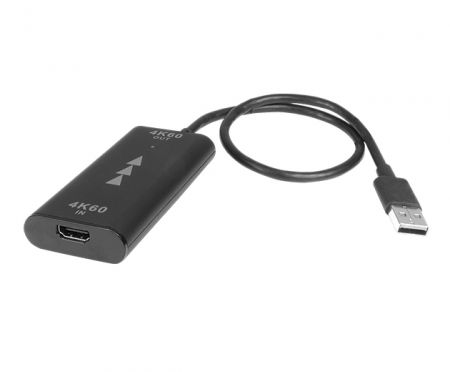
4K Video Capture Adapter
VUZ7140
Customizable enterprise-grade 4K Video Capture Adapter
One way to simplify and enhance presentations is by showing additional materials from another computer on the main computer screen running the presentation. However, in practice, it is often necessary to disconnect the display cable from the main computer and connect it to the other computer in order to display the supplementary materials. This small 4K video capture adapter can capture video and easily display a second notebook’s screen on the same monitor during meetings, without constantly switching cables between different notebooks at presentation.
Easy Multi-Laptop Presentations
VUZ7140 simplifies presentations by capturing and displaying content from a second laptop onto your primary screen, eliminating the need to frequently swap cables. It enables presenters to effortlessly show supplementary materials from multiple computers on a single display during meetings.
Compact and Cable-Free Solution
Designed as a compact adapter, VUZ7140 captures video signals smoothly from another notebook, allowing easy integration of additional content onto your main display without disconnecting and reconnecting cables. This ensures smoother, more professional presentations.
Features
- Instant Video Capture: Easily displays content from a second laptop
- No Cable Switching: Eliminates the hassle of unplugging and reconnecting cables
- Compact Design: Small and portable for convenient meeting setups
- Enhanced Presentation Efficiency: Simplifies content sharing across multiple laptops
- Universal Compatibility: Works smoothly with various notebook setups
Connection Technology
- HDMI
- USB2
- USB3
Data Port
- USB-A
Hubs by Connection to Host
- USB-A
Input port
- USB-A
Video Output
- HDMI
Max Display
- 1
Max Resolution
- 2K@50
- 2K@60
- 4K@30
- 4K@60
Power Mode
- Bus-Power
Card Categories
- NO
Specifications
| Model | VUZ7140 |
|---|---|
| Description | 4K Video Capture Adapter |
| Interface | USB5G |
| Video Input port | HDMI 2.0 |
| Input Resolution (Max.) | 3840 x 2160p60 |
| USB Capture Resolution | 3840 x 2160p60 |
| USB Interface | USB Type-A male Tethered cable 30cm |
| USB Class Supported | UVC/UAC |
| Power | USB Bus-powered |
| Main Application | Share Screen in conference |
- Related Products
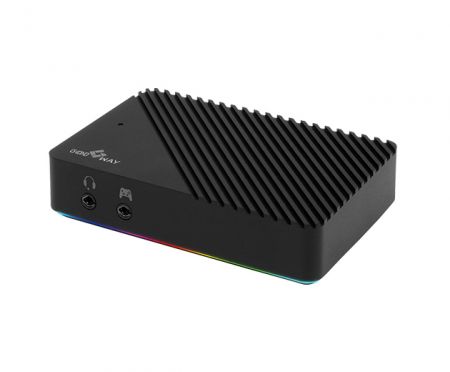
HDMI 4K144 Video Capture
VUZ7261
The VUZ7261 HDMI 4K144Hz Video Capture delivers exceptional visual quality for gaming streamers...
Details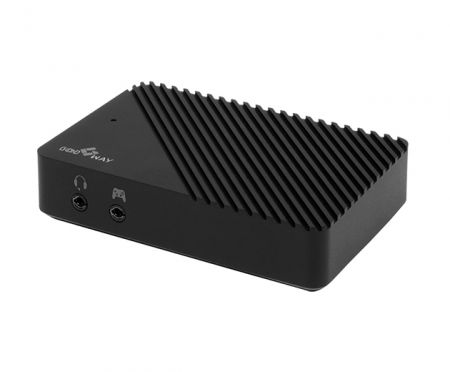
HDMI 4K144 Video Capture w/ RGB Lighting strip
VUZ7260
The VUZ7260 HDMI 4K144Hz Video Capture is designed specifically for gaming streamers and content...
Details- Download

 Download
 Popular Products


How can we eliminate the constant cable-switching frustration during multi-source presentations while maintaining professional 4K video quality?
The VUZ7140 captures video from secondary laptops directly to your main display in real-time, supporting up to 4K@60fps resolution without requiring any cable disconnections. This enterprise-grade solution integrates seamlessly with your existing conference infrastructure, reducing setup time and technical complexity while ensuring smooth, professional presentations. Contact Good Way to discuss customization options and volume pricing for your organization's meeting spaces.
Designed for IT departments, conference organizers, and enterprises managing hybrid workforces, the VUZ7140 streamlines content sharing workflows by eliminating the operational friction of repeatedly unplugging and reconnecting display cables between multiple source devices. With its 30cm tethered USB Type-A cable and compact form factor, this solution is ideal for mobile presenters, educational institutions requiring flexible classroom technology, medical facilities conducting remote consultations, and telecom companies managing distributed meeting infrastructure. Good Way's 43 years of PC peripheral manufacturing expertise and ISO 14001 certification ensure reliable performance and environmental compliance, making the VUZ7140 a professional-grade solution for organizations seeking to enhance presentation efficiency and reduce technical setup complexity.